Subscription Tracker

Know exactly where
your money goes

Track every subscription, get reminders before renewals, and see your spending at a glance. Simple, private, and built for iPhone.

Download on the App Store

Requires iOS 18.0 or later.


See Subwyn in action

Real app screens with sample subscriptions. Tap a screenshot to view it full-size.

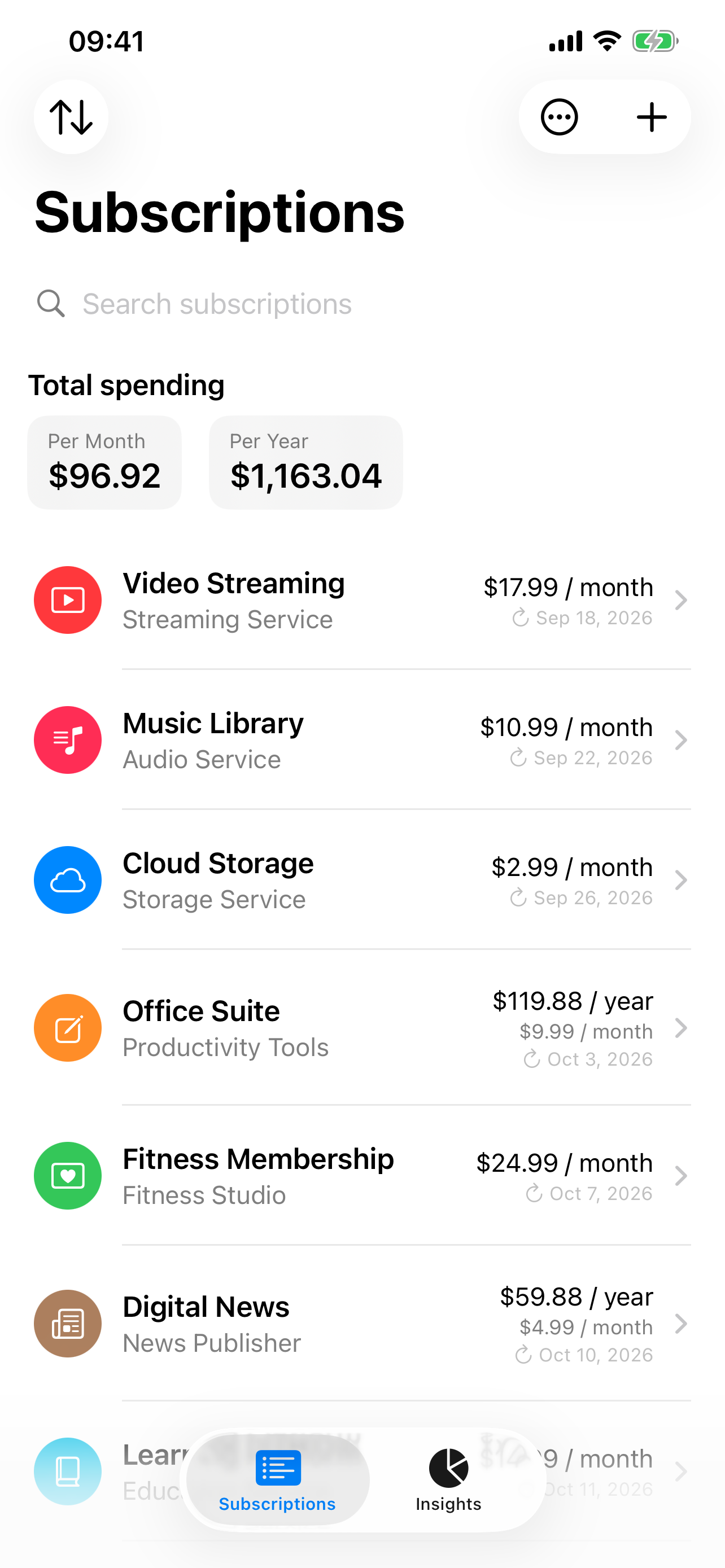
Subwyn's subscription list with monthly and yearly spending totals and sample subscription renewal dates.

Every subscription, one list

Review your recurring costs, spending totals, and upcoming renewals at a glance.

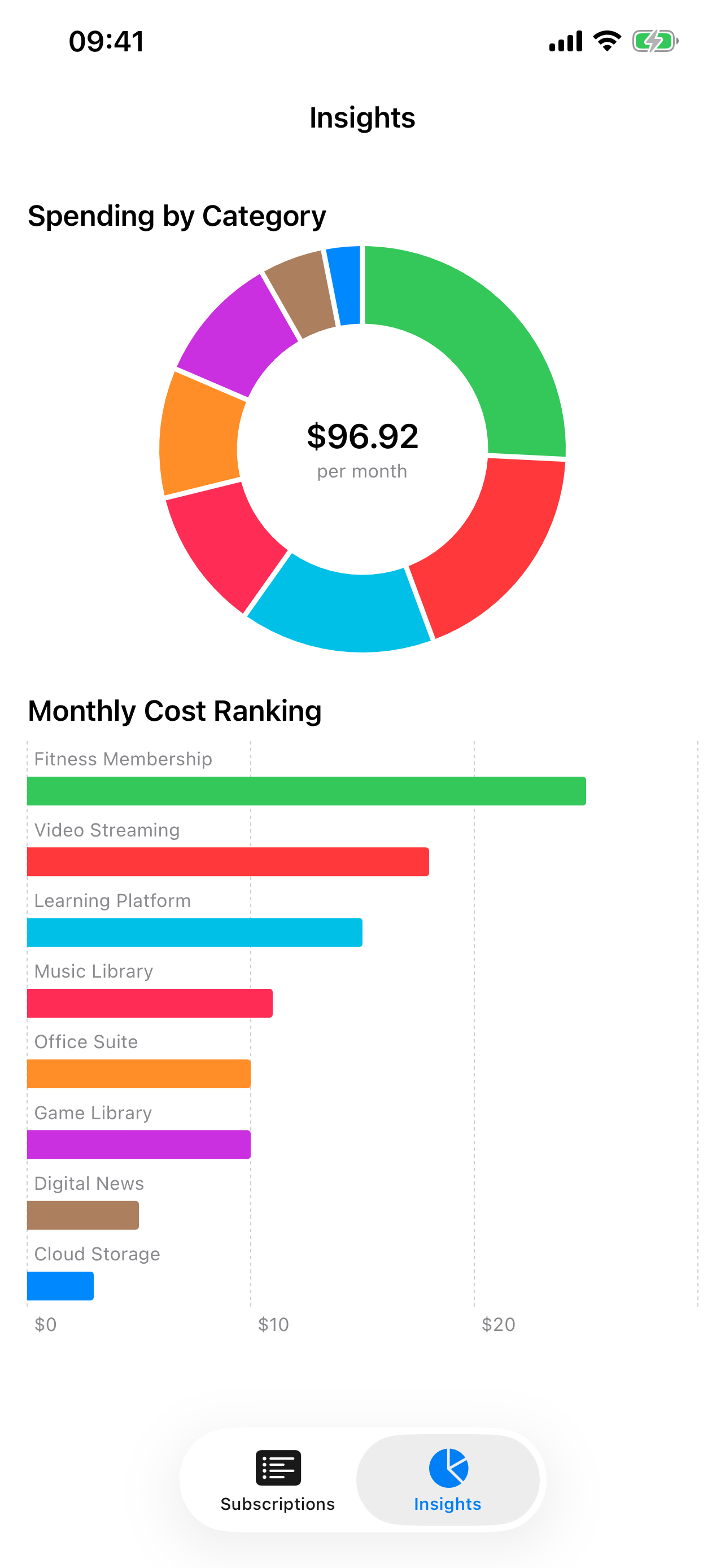
Subwyn's Insights tab showing a spending-by-category donut chart and monthly subscription cost ranking.

Understand your spending

See your spending by category and compare subscriptions by monthly cost.

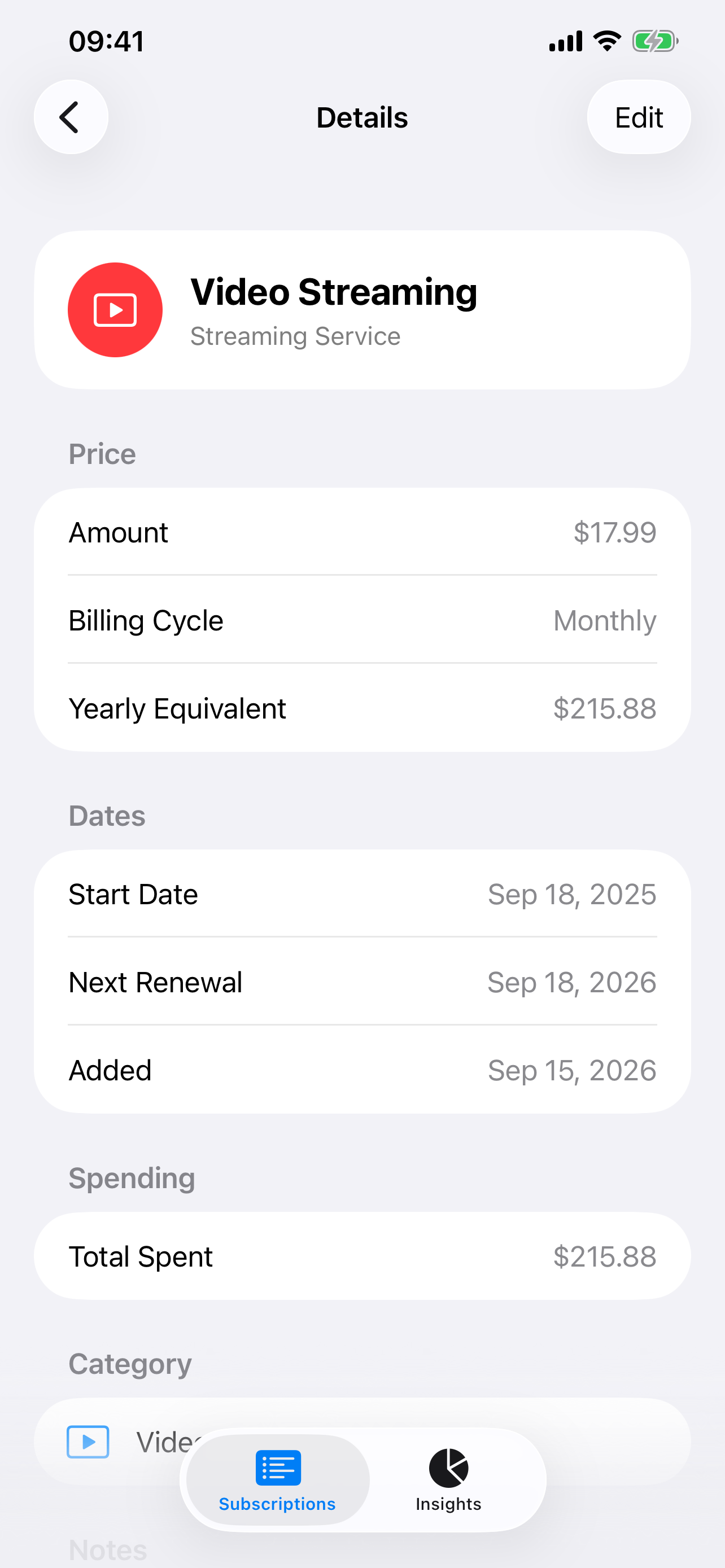
Subwyn's details screen for a sample Video Streaming subscription, with its price, billing cycle, dates, and total spent.

Keep the details handy

Check prices, billing cycles, renewal dates, and recorded spending in one place.


Everything you need to
manage subscriptions

No account required. We don't collect your subscription data. Just a clean, focused tracker.

All in One Place

Netflix, Spotify, iCloud, gym memberships, everything in a single list sorted the way you want.

Renewal Reminders

Enable local notifications for reminders the day before upcoming renewals, based on the dates you enter.

Spending Insights

Visual charts show where your money goes. See spending by category and compare costs at a glance.

Multi-Currency

Track subscriptions in any currency. Totals are grouped automatically so mixed currencies stay clear.

Archive & Restore

Keep old records out of your active list, totals, and reminders. Restore them anytime. Archiving does not pause or cancel billing with the provider.

Export & Import

Export active and archived subscriptions as JSON. Importing adds new records and updates matching records by ID, without duplicating them.

Quick Templates

Start with a pre-filled service template, enter your price, review the currency and start date, then save.

Private by Design

Subscription records are stored locally. No accounts, no app-managed cloud sync, no tracking. Export only when you choose.

16 Categories

Organize by Video, Music, Gaming, Productivity, and 12 more. Each with its own icon and color.


Up and running in seconds

1

Add

Enter a subscription manually or start with one of 90 service templates. Add your price and review the details before saving.

2

Track

See your monthly and yearly totals, next renewal dates, and spending by category.

3

Save

Review upcoming renewals and decide what to keep. To stop billing, cancel directly with the provider; Subwyn only tracks your records.